Business Automation Gold Coast: Practical Automation for Small Business
If you run a small business on the Gold Coast, there’s a good chance your day gets eaten up by repeat admin: responding to enquiries, sending reminders, updating records, chasing invoices, and moving information between systems. Business automation Gold Coast businesses can use is not about building complicated systems. It’s about removing avoidable manual work so you can spend more time on customers, sales and delivery.
This guide explains what business automation means in plain English, which tasks are worth automating first, and how to approach it in a way that stays practical and low-risk. If you’re comparing options or thinking about where to start, you’ll also see how a sensible automation plan can simplify everyday operations without overcomplicating them.
null
For small businesses, the best automation is usually the kind that quietly handles a repetitive step in the background. That might be a follow-up email, a booking confirmation, a task reminder, or a status update that no one needs to type twice. If that sounds familiar, you’re already thinking in the right direction.
What business automation means for a small business
At its simplest, business automation means using software to complete routine steps automatically instead of doing them by hand every time. In a small business, that usually means connecting the tools you already use so work moves from one step to the next with less manual effort.
For example, when someone fills out a form on your website, that information could automatically create a lead in your system, trigger a follow-up email, and notify the right person internally. You still stay in control of the process, but the repetitive admin is reduced.
Automation vs outsourcing vs AI tools
These terms often get mixed together, but they are not the same thing.
- Automation means software handles a process step automatically.
- Outsourcing means another person or business does the work for you.
- AI tools can help with things like drafting, sorting, summarising or classifying information, but they still need a clear process around them.
In practice, many businesses use a mix of all three. The important thing is choosing the simplest option that solves the problem. That is the same philosophy behind Simple Automations: technology should make business simpler, not harder to manage.
If you want to explore the broader approach first, the small business automation page is a useful starting point.
Why Gold Coast small businesses are adopting automation
Businesses across the Gold Coast face the same challenge many small businesses do: there is always more admin than time. Whether you run a service business, an online business, or a local operation with a small team, automation can help reduce the pressure on day-to-day tasks.
Saving time on repetitive admin
Repetitive admin is usually the first place to look. If the same task is happening every day, every week, or for every new customer, it may be a strong candidate for automation.
That might include:
- sending booking confirmations
- creating internal tasks
- logging enquiries
- following up unpaid invoices
- moving customer details between systems
The value here is not just saving minutes. It is reducing the number of small interruptions that break focus throughout the day.
Improving consistency and customer response
Manual processes can be inconsistent. One enquiry gets a quick reply, another sits in the inbox, and a follow-up is forgotten because someone got busy. Automation helps keep the basics consistent so customers get a more reliable experience.
That does not mean removing the human side of your business. It means making sure the important routine steps happen every time, even when the team is busy.
Reducing operational bottlenecks
Many businesses do not have a single “big” problem. They have lots of small bottlenecks: a form that has to be copied into another system, a job that waits for an email reply, or a reminder that someone has to remember to send manually. Over time, those delays add up.
Good business automation Gold Coast companies implement is usually focused on clearing those bottlenecks one by one.
The best business processes to automate first
If you are new to automation, start with tasks that are repetitive, rule-based and easy to define. You do not need to automate everything at once. In fact, trying to do too much too soon is one of the most common mistakes.
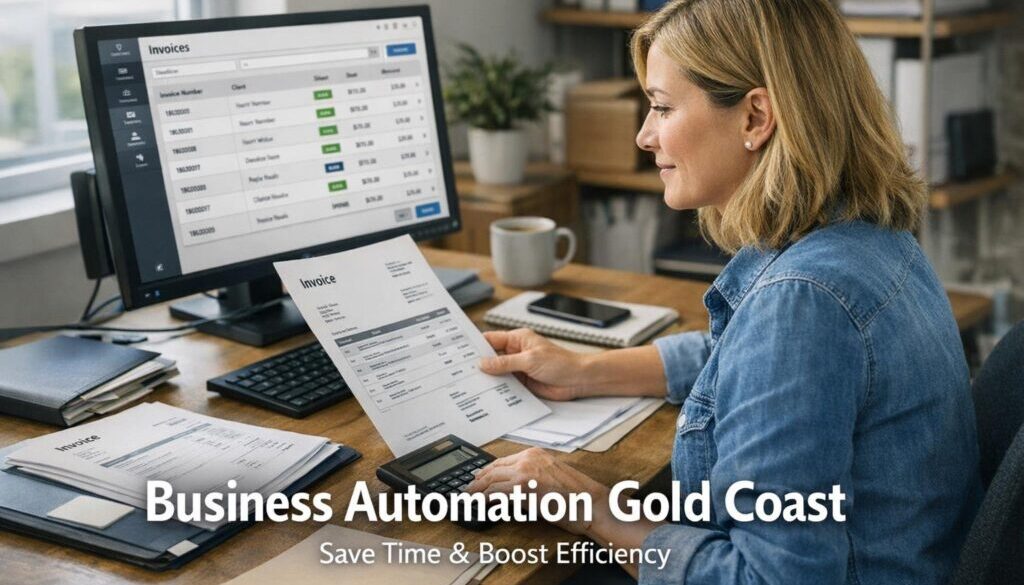
Invoicing and payment reminders
Invoices and payment follow-ups are common automation opportunities because the workflow is usually clear. When a job is completed, a payment request or reminder may need to be sent. Automating part of that process can reduce delays and reduce the chance of someone forgetting a follow-up.
Appointment booking and confirmations
If your business relies on bookings, confirmations and reminders are ideal candidates for automation. A customer books, the system confirms the booking, and a reminder goes out before the appointment. This can reduce no-shows and save your team from sending the same messages repeatedly.
Lead capture and follow-up
When a new lead comes in, speed matters. If the enquiry is manually copied into a spreadsheet or inbox and left there, a potential customer may go cold. Automation can help by capturing the lead, notifying the team and triggering an initial response.
For a small business, that kind of quick follow-up can make a noticeable difference to consistency without requiring a more complicated sales system.
Email and customer communications
Many customer communications can be streamlined with simple automation: welcome emails, booking instructions, status updates, reminders and post-service follow-ups. These messages often do not need to be written from scratch each time.
The goal is not to sound robotic. The goal is to make sure helpful information goes out reliably.
Internal task tracking
Internal task tracking is another practical area to automate. For example, if a form is submitted or a job is approved, a task can be created for the next step. That keeps work moving and helps avoid things falling through the cracks.
This kind of workflow automation is often a good fit for small teams because it improves visibility without requiring a major system overhaul.
What a practical automation workflow can look like
It helps to think about automation in four simple stages.
| Stage | What happens manually | What automation may do | Business benefit |
|---|---|---|---|
| Current problem | Staff spend time repeating the same admin task | Identify the repetitive step | Clarifies where time is being lost |
| Automation opportunity | Information has to be copied or sent manually | Software moves information automatically | Reduces manual handling |
| How it could work | Someone remembers to do the next step | A workflow triggers the next action | Less reliance on memory |
| Business benefit | Delays, errors or missed follow-ups happen | Routine work is handled consistently | More reliable operations |
This is the kind of practical approach used in many automation solutions. The focus is on solving one process at a time, not forcing a full business transformation overnight.
Common automation mistakes to avoid
Automation works best when it is built on a process that already makes sense. If the underlying workflow is messy, automating it can simply make the mess happen faster.
Automating broken processes
If a process is unclear, inconsistent or constantly changing, fix the process first. Automation should support a good workflow, not hide a poor one.
A simple rule helps here: if you cannot explain the process in plain English, it is probably not ready to automate.
Overcomplicating workflows too early
Some businesses try to solve everything at once. They add too many tools, too many steps and too many decision points. The result is often more confusion, not less.
Start small. Automate the most repetitive step first, then build from there if the workflow proves useful.
Ignoring team adoption and training
Even a good automation can fail if the team does not understand how it fits into daily work. Staff need to know what has changed, what still needs attention, and who is responsible for exceptions.
Good implementation is not just technical. It is operational.
How to choose the right automation approach
For Gold Coast businesses, the right approach is usually the one that matches your current size, budget and internal capacity. You do not need the most advanced option. You need the most useful one.
Start small and measure what improves
Choose one workflow and look for a clear result. That might be fewer manual steps, faster response times, or fewer missed tasks. Small wins matter because they show what is actually helping.
Match tools to business size and budget
Some businesses only need a few simple automations. Others need a more connected workflow across multiple systems. The right solution depends on how much complexity you actually have.
If you are exploring options, the Business Hub is a helpful place to look for broader automation guidance and practical resources.
Consider local support or implementation help
Many small businesses know what is slowing them down but do not have the time to design a solution themselves. That is where implementation support can help. A good provider should focus on understanding your process first, then recommending the simplest automation that meets the need.
If you are comparing support options, business automation solutions can be a sensible way to review what might be possible for your workflow.
What good business automation should feel like
Good automation should feel calm, not complicated. The best systems do not constantly demand attention. They quietly reduce admin, keep work moving and make the business easier to run.
Less admin, more customer focus
When routine work is handled automatically, your team can spend more time on service, sales and problem-solving. That is often where the real business value is created.
Clearer workflows and fewer missed tasks
Automation also improves visibility. People can see what has happened, what is waiting, and what needs action next. That reduces reliance on memory and reduces the chance of tasks being missed.
In many businesses, that alone is a major improvement.
Real-world examples of practical automation
It often helps to see how automation is used in practice. Simple Automations has worked on a range of workflows where the goal was to reduce repetitive manual handling and make processes easier to manage.
For example, document-heavy workflows are often a strong fit for automation. The trust account automation case study shows how a repetitive administrative process can be simplified through a more structured workflow.
Content planning is another area where consistency matters. The content calendar automation case study is a useful example of how planning and publishing workflows can be organised more efficiently.
And for businesses that sell digital products, delivery workflows can often be streamlined. The digital product automation page shows how digital file delivery can be handled in a more automated way.
These examples are different, but the principle is the same: identify the repetitive step, simplify the workflow, and reduce the amount of manual work needed to keep things moving.
How Gold Coast businesses can get started
If you are considering business automation Gold Coast style — practical, small-business-first and focused on real outcomes — a simple starting plan works best.
- List your repeat tasks. Write down the admin tasks you do most often.
- Identify the bottlenecks. Look for handoffs, delays and steps that rely on memory.
- Choose one workflow. Start with the easiest or most repetitive one.
- Map the current process. Keep it simple and clear.
- Decide what should happen automatically. Focus on rule-based steps.
- Review the result. Check whether it reduced admin and improved consistency.
This kind of approach keeps automation manageable. It also helps you avoid paying for complexity you do not need.
Ready to Simplify Your Business?
If you want to explore business automation Gold Coast businesses can use to reduce admin and simplify daily workflows, Simple Automations can help you identify practical opportunities and build a sensible next step.
Final thoughts for Gold Coast business owners
Business automation does not need to be complex to be useful. For most small businesses, the best results come from automating routine tasks, reducing manual data entry and making everyday workflows easier to manage.
If you focus on practical improvements first, you can save time without creating a system that is hard to maintain. That is the real value of business automation Gold Coast businesses can rely on: less admin, fewer errors and more time for the work that actually grows the business.
If you are ready to take the next step, start with the small business automation page or explore more practical guidance through the Business Hub.