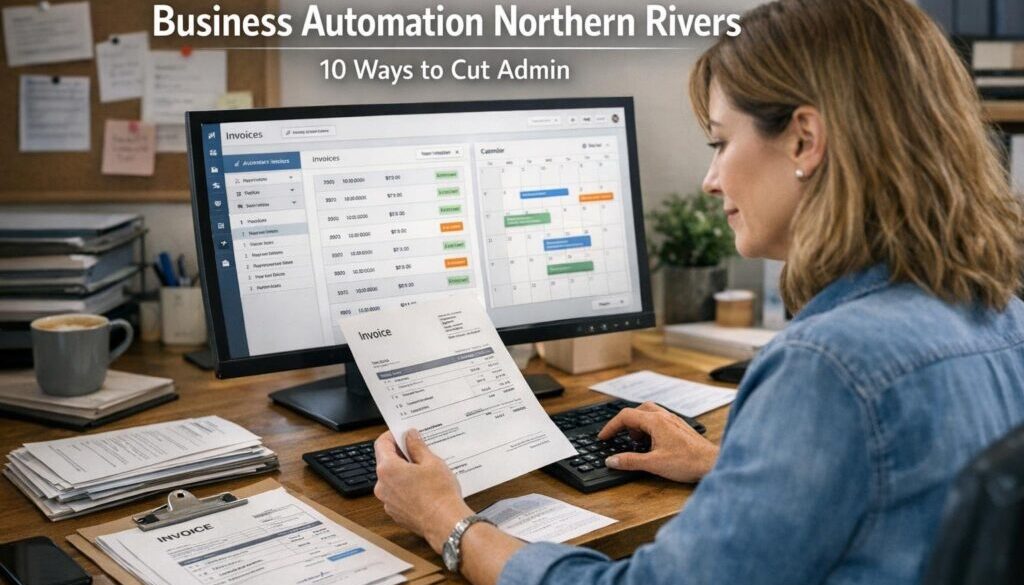
Business Automation Northern Rivers: Practical Automation for Small Business
If you run a small business in the Northern Rivers, chances are you already know where the time goes: enquiries, bookings, quotes, invoices, follow-ups, records, and endless admin. Business automation Northern Rivers businesses can use is not about replacing people. It is about removing repetitive work so your team can focus on customers, delivery, and decisions that actually need judgment.
This guide explains what business automation means in plain English, which tasks are usually worth automating, what should stay human-reviewed, and how to start without building an overly complicated system.
null
For many owner-operated businesses, the best starting point is simple: automate the admin that repeats often, follows a clear pattern, and does not require a complex decision. That is where small business automation can create real value without adding unnecessary complexity.
What business automation means for small businesses
Business automation is the use of software to move information or trigger actions automatically. Instead of someone copying details from one system to another, the system does the routine steps for you.
In practice, that might mean:
- a web enquiry creates a new customer record
- a booking request adds an appointment to the calendar
- a completed job creates a draft invoice
- an overdue invoice sends a payment reminder
- a form submission creates a task for the right person
The goal is not to automate everything. The goal is to reduce manual effort in the parts of the business that are repetitive, predictable, and easy to standardise.
How automation differs from AI assistance
Automation and AI are related, but they are not the same thing.
Automation usually follows a rule: if this happens, then do that. For example, if a quote is accepted, create a job task and notify the team.
AI assistance helps with language, summaries, classification, and drafting. For example, AI might summarise an enquiry or draft a reply that a human reviews before sending.
In many small businesses, the best results come from combining the two. A workflow tool handles the repeatable steps, while AI helps with drafting or sorting information where appropriate. Microsoft’s official documentation on Power Automate is a useful example of how workflow automation is structured, while Microsoft Copilot documentation shows how AI assistance fits into everyday business tools.
Why automation matters in regional businesses
Regional small businesses often run lean. There may not be a large admin team to catch missed follow-ups, update records, or chase paperwork. That makes business automation Northern Rivers businesses can rely on especially valuable when the process is clear and repetitive.
For businesses with limited time and staff, automation can help reduce bottlenecks, improve consistency, and make it easier to grow without adding the same amount of admin overhead.
Common admin tasks small businesses can automate
The best automation opportunities are usually found in the same everyday workflows that already take up time. Here are some of the most practical ones.
Lead capture and enquiry handling
Current problem: enquiries arrive through forms, email, social media, or phone messages and need to be entered or followed up manually.
Automation opportunity: a form submission or message can create a record in your CRM, notify the right person, and send an acknowledgement email.
How it could work: someone submits a website form, the system stores the details, and your team gets notified to respond.
Business benefit: faster response times and fewer missed leads.
This kind of workflow is common in automation solutions for small businesses because it removes a simple but important bottleneck.
Bookings and appointment workflows
If you rely on appointments, bookings can be one of the easiest places to simplify. A booking confirmation can automatically create a calendar event, send reminders, and prepare any intake information needed before the appointment.
This is useful for service businesses, health and wellness providers, consultants, and trades that need scheduling to stay organised.
Quotes, proposals, and job creation
Many businesses lose time retyping customer details into quote templates or job systems. A quote request can often trigger a draft quote, a task for review, or a new job in your workflow system once accepted.
This is especially helpful where the process is mostly standard, but still needs human approval before anything is sent or scheduled.
Invoicing and payment reminders
Once a job is complete or a quote is accepted, an invoice can often be created more efficiently in the accounting system. Payment reminders can also be sent automatically when invoices are overdue.
Accounting platforms such as Xero, MYOB, and QuickBooks Australia are commonly used in small-business workflows, though the exact features and integrations vary by product and plan.
Customer onboarding
When a customer signs up or buys from you, there are often several small steps: send a welcome email, collect details, share documents, create tasks, and notify the team. These steps can often be streamlined so each customer gets the same clear process.
Reporting and internal approvals
Regular reporting can be automated on a schedule, and simple approval workflows can reduce back-and-forth for requests like discounts, refunds, or purchases. The key is to keep the decision-making human where judgment matters.
For teams already using Microsoft or Google tools, automation can often sit around the systems they already use. See the Google Workspace Learning Center for official guidance on Gmail, Calendar, Docs, Sheets, Drive and Forms, and the Google Gemini help pages for current AI-related product information.
What should stay human-reviewed
Automation works best when it handles the repetitive steps and people handle the exceptions. Not everything should be fully automated.
Pricing and discounts
Pricing usually needs judgment. You may have rules and guidelines, but special deals, margin pressure, or unusual jobs often require a person to review the decision.
Payroll, timesheets, and award-sensitive work
Payroll and rostering processes must still support compliance obligations. Automation can assist with data collection, reminders, and calculations, but it should not replace proper review of workplace rules. The Fair Work Ombudsman is the official source for Australian workplace compliance information.
Refunds, disputes, and sensitive customer communication
Customer issues often need context and empathy. Automation can route the request to the right person, but a human should usually decide how to respond.
Compliance-sensitive decisions
Anything that affects tax records, customer rights, payroll, or legal obligations should be reviewed carefully. Automation can support record keeping, but it should not be treated as a substitute for compliance.
The Australian Taxation Office provides official guidance on records and tax obligations through the ATO website.
Tools commonly used for business automation
Most small businesses do not need a huge technology stack. They usually need a few reliable tools that work well together.
Accounting platforms
Accounting software is often the centre of small-business admin because it handles invoices, bills, reconciliations, and sometimes payroll. Many automations begin or end in the accounting system.
CRM and customer systems
A CRM helps store customer details, track conversations, and follow up leads. When connected properly, it can reduce manual data entry and make follow-up more consistent.
HubSpot is one example of a CRM platform that businesses may use for customer management and marketing workflows. More information is available on the official HubSpot website.
Workflow tools
Workflow platforms such as Zapier, Make, and Power Automate can connect forms, email, spreadsheets, CRMs, and task tools so information moves automatically between systems.
Productivity suites
Many businesses already use Microsoft 365 or Google Workspace. That is often a good place to start because the tools are already familiar and can support forms, calendars, documents, spreadsheets, and shared files.
Task and project tools
Task tools such as Trello, Asana, Monday.com, or ClickUp can help automate internal handoffs, due dates, and reminders. These tools are often most useful when a business needs clear accountability for each step in a process.
AI assistants
AI tools can help draft emails, summarise notes, classify incoming requests, and turn rough information into a starting point. Used well, they reduce drafting time without taking away human control over the final output.
Australian compliance considerations
Any business automation Northern Rivers owners put in place should take compliance seriously. Automation is meant to simplify business, not create new risks.
Privacy and customer data
If your automation handles names, phone numbers, email addresses, staff records, or other personal information, privacy matters. The Australian Privacy Principles and the Privacy Act overview from OAIC are useful official references.
Even when a business is not strictly covered in every situation, privacy-safe handling is still a smart practice. That means limiting access, using trusted vendors, and only sharing the data that is needed.
Security and access control
Connecting systems usually means sharing logins, API keys, or permissions between apps. That makes access control important. Use strong passwords, multi-factor authentication where available, and the least amount of access needed for each tool.
Record keeping and taxation
Automation does not remove the need for good records. If a workflow touches invoices, expenses, payroll, or receipts, the resulting data still needs to support your tax and record-keeping obligations. The ATO’s official guidance is the safest place to check details as rules and requirements change.
Workplace compliance
If automation is used in rostering, timesheets, or payroll, it needs to support correct award interpretation and workplace obligations. Automating the capture of information can be useful, but final checks should remain in place.
How to start simply
The easiest way to begin is not to automate everything. It is to choose one process and simplify it properly.
- Map one workflow. Write down what happens now, step by step.
- Find the repeatable parts. Look for tasks that happen the same way every time.
- Choose one trigger and one outcome. For example, form submitted = create a record and send an acknowledgement.
- Keep approvals manual. If a step needs judgment, leave it for a person.
- Test with real examples. Make sure the workflow handles common scenarios and exceptions.
- Document it. Staff should know what happens and who owns the process.
This is where practical automation matters more than fancy tools. A well-designed simple workflow is often more useful than a complex system that nobody trusts.
If you want a deeper starting point, the Business Hub is a useful place to explore broader automation guidance and business resources.
Common automation mistakes to avoid
Over-automating too early
One of the biggest mistakes is trying to automate a process before it is clear. If the process itself is messy, automation will simply make the mess happen faster.
Connecting too many tools
Small businesses often do best with a simple stack. Too many platforms can create confusion, maintenance issues, and duplicated data.
Ignoring data quality
Automation depends on clean, consistent information. If forms, spreadsheets, or customer records are inaccurate, the workflow will reflect those problems.
Forgetting ownership and maintenance
Every workflow needs an owner. Someone should know how it works, what happens when it fails, and what to do if a software change affects it.
Using AI without review
AI can be useful for drafting and summarising, but it should not be left unsupervised where accuracy matters. A human check is still important for anything customer-facing or compliance-related.
Practical examples for Northern Rivers businesses
Business automation Northern Rivers companies often need is usually straightforward and local-business friendly. Here are some realistic examples:
- Trades: enquiry form submission creates a lead record, an internal task, and a follow-up email.
- Hospitality: booking request triggers confirmation and reminder messages.
- Creative services: quote acceptance creates a project task and onboarding checklist.
- Health and professional services: intake form updates the client file and notifies the correct team member.
- Retail or online businesses: order submission triggers invoice or fulfilment steps.
These are not “big company” systems. They are practical small-business workflows designed to reduce admin without losing control.
Why case studies matter
It helps to see how automation works in the real world. Simple Automations shares practical examples of different kinds of workflow design, including document-heavy processes, content planning, and digital product delivery.
For a document-driven workflow example, see our trust account automation case study. For a planning and publishing workflow example, explore the content calendar automation case study. And for a digital delivery example, look at our digital product automation page.
These examples are useful because they show the same principle in different settings: identify the repeatable steps, keep the important checks in place, and simplify the workflow where it makes sense.
If you want to understand more about the practical side of automation for small businesses, Simple Automations focuses on straightforward solutions that make business processes easier to manage.
Final takeaways for Northern Rivers businesses
Business automation works best when it is simple, useful, and tied to a real business problem. For most small businesses, the best starting point is not a major digital overhaul. It is one workflow, one bottleneck, and one clear improvement at a time.
If you are looking at business automation Northern Rivers businesses can use to save time and reduce admin, start with the repetitive work that slows your team down. Keep human review where judgment matters, choose tools that fit the way you already work, and build from there.
Ready to Simplify Your Business?
If you would like help identifying the best automation opportunities in your business, Simple Automations can help you find a practical starting point.