Automation for Real Estate Agencies: 9 Admin Tasks to Simplify
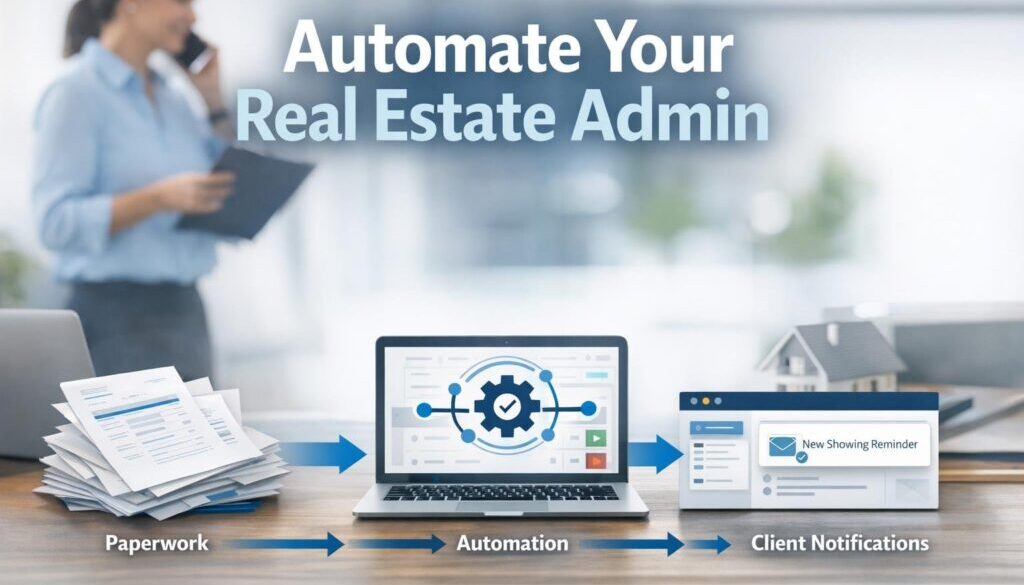
For many agencies, the biggest bottleneck is not the sale or the lease itself. It is the admin around it. Enquiries need routing, inspections need scheduling, documents need preparing, records need storing, and team handovers need to happen without things falling through the cracks. That is where automation for real estate agencies can make a real difference.
Used well, automation can reduce double handling, improve consistency, and take pressure off busy sales and property management teams. Used carelessly, it can create privacy, compliance, and trust issues. This guide looks at the nine admin tasks most suitable for automation, what still needs human review, and how agencies can simplify their workflows without losing control.
null
If you are also thinking about the wider operational side of automation, it may help to start with our small business automation overview, which explains how practical workflows can be simplified without adding unnecessary complexity.
Why real estate agency admin is so time-consuming
Real estate agencies usually work across several connected systems at once. A lead may start in an online enquiry form, move into a CRM, trigger an inspection task, and then require follow-up in email or SMS. A tenancy workflow may touch property management software, accounting tools, document templates, and shared files. Without good connections between those systems, staff end up entering the same information more than once.
That is the real problem automation can solve. Not every task should be fully hands-off, but many routine steps can be triggered automatically so staff spend less time copying, checking, and chasing. That is a strong fit for business automation solutions because the aim is not to replace people. It is to remove repetitive work that slows the team down.
Multiple systems create double handling
Most agencies rely on a mix of CRM software, property management platforms, accounting tools, email, calendars, document systems, and listing channels. Each system may do its own job well, but if the data does not move between them cleanly, people become the integration layer.
That creates common admin pain points such as:
- re-entering contact details in different systems
- manually creating follow-up tasks
- copying the same notes into multiple places
- forgetting to update a record after a change
- chasing approvals by email
Done properly, automation for real estate agencies reduces that duplication and keeps workflows moving in the background.
Compliance, privacy, and record-keeping add extra steps
Real estate admin is also shaped by privacy, record-keeping, and legal responsibilities. Australian agencies should be mindful of the Australian Privacy Principles, the Privacy Act 1988, and other relevant state or territory obligations. In practice, that means automated workflows need secure access, sensible retention rules, and a clear point where a human reviews anything sensitive or legally important.
The best automation strategy in this sector is careful, not careless. It should support accuracy, not bypass it.
The 9 admin tasks real estate agencies can simplify with automation
Not every workflow should be automated to the same degree. The best starting points are high-volume, repetitive tasks with clear rules and a low risk of ambiguity. Here are nine that often suit automation well.
1. Lead capture and enquiry routing
Current problem: Enquiries arrive from forms, portals, email inboxes, and sometimes phone notes. Staff then need to decide where each lead belongs and who should respond.
Automation opportunity: New enquiries can be captured into a CRM, tagged by source, assigned to the right person, and followed by an acknowledgement message or internal task.
How it could work: When a form is submitted, the system creates or updates the contact record, assigns the lead, and sends an internal notification. A templated response can go out automatically, while the agent still reviews the actual follow-up.
Business benefit: Faster response times, fewer missed leads, and less manual sorting.
2. Inspection and open-home scheduling
Inspection bookings involve calendars, reminders, changes, and sometimes last-minute updates. This is one of the most obvious admin tasks for automation for real estate agencies because it is structured and repetitive.
An automation workflow can create calendar events, send reminder emails or SMS messages, update team tasks, and notify registered attendees if the time changes. The human role is still important for conflict resolution, access instructions, and handling exceptions.
3. Listing publishing workflows
Preparing a listing usually involves multiple steps: collecting property details, checking copy, confirming media, completing internal approvals, and publishing to the right channels. Automation can help move that work through a checklist so the team is not relying on memory or scattered emails.
For example, once a listing is marked ready, a workflow can create tasks for copy review, photography upload, signage, and final approval. Where integrations exist, some data can also be pushed into connected systems. The important point is that the system should help the team keep the process consistent, not replace the final review.
4. Follow-up communications
Follow-up is essential in real estate, but much of it is repetitive. After an enquiry, inspection, application, or status change, the business may need to send a message, set a reminder, or create a task for a team member.
Automation can send templated messages based on a trigger. That might be an enquiry acknowledgement, an inspection reminder, or a polite request for missing information. The key is to keep the message useful and human-sounding, and to let a staff member step in when the situation is sensitive or unusual.
This is a good place to connect the agency’s communication tools with wider workflow support such as our Business Hub, where practical guidance can help teams think through their processes before building them.
5. Document generation and e-signatures
Document work is a major source of admin overhead. Templates reduce some of the burden, but automation can go further by merging data into documents, generating PDFs, and routing them for signature.
This can be useful for standard documents that follow a repeatable structure. Staff still need to check names, dates, legal wording, and special clauses. In other words, automation should prepare the document, not authorise it blindly.
For agencies that want to streamline document-heavy processes more broadly, our trust account automation case study is a useful example of how a repetitive administrative workflow can be simplified with the right structure and approvals in place.
6. Compliance reminders
Compliance work is rarely glamorous, but forgetting a deadline can create bigger problems later. Automation can help by creating reminders for key dates, document reviews, renewal checkpoints, inspection intervals, or internal approval steps.
The important distinction is that a reminder is not the same as a completed action. A workflow can alert the team and create a task, but a person should still confirm the work was done and logged correctly. That keeps the process accurate and auditable.
7. Internal handoffs between teams
Real estate agencies often have handoffs between sales, property management, trust accounting, and administration. When a handoff depends on someone remembering to email the right person, delays are almost inevitable.
Automation can assign tasks when a record changes stage, notify the next team member, and update shared notes or checklists. This improves accountability and makes it easier for staff to see what happened, what is pending, and who owns the next step.
8. Reporting and dashboards
Many agencies still compile reports manually, even though the data already exists in their systems. Automation can gather common metrics into a scheduled report or dashboard so managers do not have to chase information from multiple places.
Useful examples include lead volumes, response times, overdue tasks, inspection bookings, and pipeline status. The report itself does not make decisions, but it gives the team a clearer view of what needs attention.
9. Invoicing and bookkeeping admin
Financial admin often involves structured, repeatable steps: creating invoice drafts, syncing references into accounting software, attaching notes, and preparing records for review. This is another strong candidate for automation for real estate agencies because the workflow is usually rules-based.
Accounting automation can reduce manual entry and make reconciliation easier, but approval still matters. For general small-business accounting workflows, Xero’s own automation documentation is a useful reference point: Xero automation and bank feeds.
Where human review still matters
Good automation does not remove judgment. In fact, the most effective systems are often the ones with clear human checkpoints. Real estate is a high-trust industry, and that means some work should remain firmly in human hands.
Legal wording and tenancy obligations
Any wording that has legal implications should be reviewed before it is sent. Automation can prepare drafts and route approvals, but it should not be treated as a source of legal advice.
Trust accounting and financial approvals
Where trust money or financial approvals are involved, controls are especially important. Automation can help with workflow and record-keeping, but the business still needs proper approval steps and audit trails.
Sensitive customer communication
Some messages need empathy, discretion, or context. Complaints, arrears, disputes, and difficult tenant or landlord conversations should not be handled by automated messaging alone.
Exceptions, escalations, and complaints
Automation is strongest when the process is predictable. When an exception appears, the workflow should hand the matter to a person rather than forcing it through a rigid path.
What a practical automation stack looks like
Most agencies do not need a giant technology overhaul. A practical stack usually combines a few core tools that already exist in the business, then connects them carefully.
CRM or agency management system
This is often the starting point for contacts, pipeline stages, tasks, and communication records. It is usually the best place to trigger follow-up actions or route leads.
Property management software
For rental and tenancy workflows, this is often the source of truth for property records, maintenance, inspections, and related admin.
Accounting platform
Accounting software helps manage invoices, expenses, reporting, and reconciliations. Good automation can reduce duplicate entry and keep financial records cleaner.
Email, calendar, and document tools
These are the everyday systems where staff spend time each day. Email, calendar, shared files, templates, and e-signatures are often the easiest places to remove friction.
Workflow automation platform
This is the layer that connects systems and moves information between them. Microsoft’s official documentation on Power Automate and Zapier’s app directory are useful references for understanding how these types of tools connect business apps.
If you are working out what should connect first, our automation solutions page explains the kind of business process problems that are often a good fit for structured workflow design.
How AI can help without creating compliance problems
AI can be useful in an agency, but it should support the team rather than replace its judgment. The safest and most useful role for AI is usually to draft, summarise, sort, or extract information that a person can then review.
Email drafting and summarisation
AI can help draft first-response emails, write follow-up notes, or summarise a long inbox thread into a short action list. That saves time, especially when teams handle a high volume of routine messages.
Data extraction and request classification
AI can help identify whether a message is about a rental enquiry, maintenance request, complaint, or sales lead. It can also extract key details from forms or documents so staff do not have to read every field manually.
Internal checklists and note-taking
AI can help create a draft checklist for a workflow stage or turn meeting notes into a cleaner summary for internal handover. That is especially useful when staff are juggling multiple properties or clients.
Why AI output should stay a draft
In real estate, accuracy matters. AI can misread details, invent wording, or miss context. That is why AI output should be treated as a draft, not an authority, particularly when legal wording, financial details, or sensitive personal information is involved.
For broader business privacy guidance, the OAIC small business and privacy guidance and business.gov.au privacy overview are useful starting points.
Privacy, security, and compliance checks for Australian agencies
Before automating client or property data, agencies should think through privacy and security first. Automation does not remove the need to protect information; it usually increases the number of connected systems that need to be managed well.
Privacy Act and APP considerations
If your business collects personal information, it should understand how the Australian Privacy Principles apply and what your obligations are under the Privacy Act. That includes collection, use, storage, access, and disclosure.
Consent, retention, and access control
Automated communication should respect consent and business rules. Records should also be retained appropriately, with clear access controls so only the right staff can see sensitive data.
Cyber security basics for connected tools
The Australian Cyber Security Centre provides practical advice for small businesses on protecting systems, accounts, and cloud services. See the ACSC small business cyber security guidance for a useful baseline. Simple controls like multi-factor authentication, strong passwords, and least-privilege access go a long way.
For businesses that also need to think about record handling, the ATO’s record-keeping guidance for business is a helpful reminder that good records are part of good operations, not just an accounting issue.
What to automate first for the biggest efficiency gain
Not every process should be tackled at once. The best results usually come from starting with the tasks that are repetitive, frequent, and easy to define.
Start with high-volume, low-risk tasks
Lead routing, reminders, task creation, and document preparation are often the first wins. These are clear, repeatable steps that can be improved without creating a major compliance burden.
Connect the systems that cause the most double handling
If staff are copying the same data between two or three systems every day, that is a strong sign the workflow should be improved. Reducing duplicate entry can quickly improve accuracy and free up time for higher-value work.
Add approvals and audit trails before scaling
Before an automation is rolled out more widely, make sure it has approval steps where needed, and that actions are logged clearly. This matters even more in a regulated environment like real estate, where records and accountability are part of day-to-day operations.
How this connects to practical automation work
In many businesses, the first automation project is the one that removes the most friction from a single repetitive process. That can be document handling, content planning, or a workflow that keeps getting delayed because it depends on manual follow-up. Our content calendar automation case study is a good example of how a structured process can be simplified when the workflow is mapped properly.
Likewise, some businesses use automation to improve the delivery of digital files and customer handoffs. Our digital product automation case study shows how a delivery workflow can be organised more cleanly when the process is designed around the user experience.
If you want to see how practical automation work is approached across different business contexts, our automation case studies page is a helpful place to start.
Conclusion
Automation for real estate agencies is most valuable when it removes repetitive admin, improves handoffs, and keeps records more consistent without compromising privacy or compliance. The best opportunities are usually the routine tasks: enquiry routing, inspection scheduling, follow-up, document preparation, reminders, reporting, and bookkeeping admin.
The key is to automate the process, not the judgement. Use automation to reduce manual effort, but keep human review where accuracy, empathy, or legal control matters. That approach gives agencies a simpler workflow without sacrificing trust.
Ready to Simplify Your Agency’s Admin?
If your team is spending too much time on repetitive back-office work, we can help you identify the best automation opportunities and map a practical workflow around them.