Customer Enquiry to Estimate: A Practical Guide for Small Businesses
If your business receives enquiries by phone, email, web form, and social media, you probably know how quickly the customer enquiry to estimate process can become messy. Details get retyped, follow-ups are missed, and quotes take longer than they should.
This guide explains how the workflow should work, where it usually breaks down, and which parts can be automated safely. It also covers the Australian privacy, security, GST, and recordkeeping issues small businesses should keep in mind.
For many businesses, the goal is simple: respond faster, reduce manual admin, and produce more consistent estimates without losing human control over pricing and scope.
null
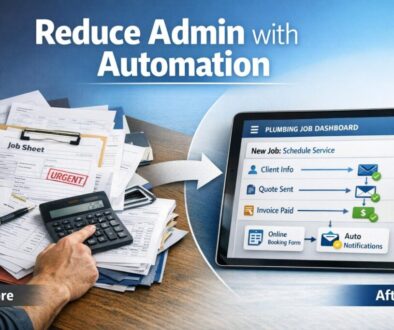
In practice, the best results usually come from combining a clear process with practical automation. If you’re looking at broader ways to reduce repetitive work, automation for small business can help streamline admin-heavy workflows beyond quoting alone.
What is the customer enquiry to estimate workflow?
The customer enquiry to estimate workflow is the process of turning a new lead or job request into a formal quote or estimate. In a small business, that usually means moving from first contact to a clear, documented price proposal.
Typical steps from first contact to quote
- The customer gets in touch through a phone call, email, form, or message.
- Your team records the enquiry details.
- You check whether the job is a fit and gather any missing information.
- You review pricing inputs, availability, and scope.
- You prepare the estimate or quote.
- You send it to the customer for approval.
- If accepted, the quote may become a job, project, or invoice.
Why this workflow matters
A smooth customer enquiry to estimate process helps your business respond quickly, stay organised, and give customers a better experience. It also reduces the risk of losing work because an enquiry sat in an inbox too long.
For businesses that want a deeper look at practical process improvements, the automation solutions page is a useful place to explore what can be automated in a real business setting.
Where the process usually breaks down
The biggest issues usually appear when enquiries come in from several channels and the data is handled manually. That makes the customer enquiry to estimate workflow harder to track and easier to get wrong.
Multiple enquiry channels
When leads arrive through phone calls, inboxes, web forms, and social media, it is easy for one to be overlooked or assigned to the wrong person. Without a central process, response times often vary from one enquiry to the next.
Manual retyping and duplicate data entry
One of the most common bottlenecks is re-entering the same details into different systems. A name, phone number, service request, and address may be typed into email, a spreadsheet, a CRM, and a quote document.
That creates unnecessary admin and increases the chance of mistakes. It also slows down the customer enquiry to estimate process when your team is busy.
Slow follow-up and missed leads
Even when the estimate is prepared, it may not be followed up properly. A quote can sit unanswered simply because no one has a clear reminder to check in.
This is where structured automation can help keep the process moving.
What can be automated safely?
Not every part of quoting should be automated, but many steps in the customer enquiry to estimate process can be improved without removing human oversight.
Enquiry capture and form intake
A web form can collect consistent information up front, such as contact details, service type, site address, attachments, or preferred timing. That gives your team a cleaner starting point than an unstructured email thread.
Microsoft Forms and Google Forms are common tools for this kind of intake. Their official documentation explains how forms can be used to collect responses and feed them into broader workflows: Microsoft Forms documentation and Google Forms support.
Triage, routing, and notifications
Once an enquiry is captured, it can be routed to the right person or team based on job type, urgency, or location. Notifications can alert staff so the lead does not sit idle.
In Microsoft environments, workflow tools such as Power Automate are commonly used for this kind of task routing and process automation. Microsoft’s official documentation is here: Power Automate documentation.
Data extraction and pre-filling records
AI can help summarise an enquiry, extract contact details, or identify what the customer is asking for. That can reduce the amount of manual typing needed before the quote is prepared.
OpenAI’s API documentation describes general text processing capabilities that can support these kinds of workflows: OpenAI API documentation. In Google and Microsoft environments, AI assistance is also available through their own productivity tools, including Copilot for Microsoft 365 and Gemini for Workspace.
Quote drafting and template-based pricing
Some businesses can use standard quote templates, line items, or service packages to speed up preparation. That does not mean the quote should be fully automatic. It means the first draft can be created faster, then reviewed before it is sent.
Xero, for example, documents quote workflows in its help centre: Xero quotes help. If your process involves estimate creation, acceptance, and invoice handover, this kind of functionality can be a useful part of the broader customer enquiry to estimate workflow.
Follow-up and status updates
Automated reminders can prompt a team member to follow up after a quote is sent. Status changes can also help your business see which estimates are waiting, accepted, or declined.
That visibility matters because the customer enquiry to estimate process is not complete until the lead is either converted or formally closed out.
Where human review is still essential
Automation works best when it supports people rather than replacing them. For most small businesses, there are parts of the customer enquiry to estimate workflow that should still be reviewed manually.
Pricing and scope assumptions
Pricing depends on accurate assumptions. If the enquiry is incomplete, automated drafting can create a quote that looks polished but does not reflect the real job.
Exclusions, deadlines, and custom terms
Quotes often need custom wording around what is included, what is excluded, and when the work will be delivered. Those details should be checked carefully before anything is sent.
High-value or non-standard jobs
The more complex the job, the more important human review becomes. Non-standard work often needs extra clarification before an estimate is finalised.
Compliance wording and liability language
If your quote includes terms and conditions, acceptance wording, or liability language, that content should be reviewed by someone who understands the business risks. The ACCC’s guidance on contracts is a useful reference point when you are dealing with quote terms and acceptance language: ACCC contract guidance.
A good rule is simple: automation can help draft and route the work, but humans should still check the final quote before it goes out.
What software is typically involved?
You do not need a single perfect system to improve the customer enquiry to estimate process. Many small businesses use a combination of tools that cover intake, communication, quoting, and recordkeeping.
CRM and pipeline tools
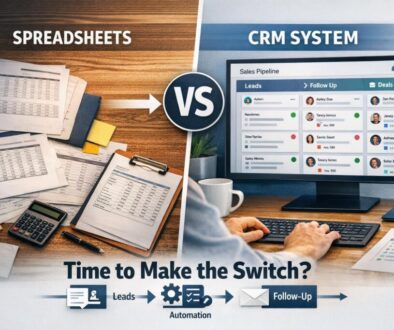
A CRM helps you store lead details, track stages, and keep a history of communication. It gives your team visibility over where each enquiry sits.
Quoting and invoicing software
Accounting and quoting platforms can help generate estimates, calculate tax, and convert accepted quotes into invoices. That reduces double handling later in the workflow.
Workflow automation tools
These tools connect the dots between forms, inboxes, task lists, document creation, and accounting systems. They are especially useful when the customer enquiry to estimate process spans multiple apps.
Microsoft 365 and Google Workspace
Many Australian small businesses already use Microsoft 365 or Google Workspace. That can make automation easier because forms, email, documents, and spreadsheets may already live in the same environment.
If you want to see how workflow automation can be applied to a practical business process, trust account automation is a good example of a repetitive administrative workflow being simplified. For content-heavy planning and scheduling processes, content calendar automation shows how structured workflows can reduce manual coordination. And for product delivery workflows, digital product automation demonstrates how delivery steps can be organised more efficiently.
Australian privacy, security, and recordkeeping considerations
If your customer enquiry to estimate workflow handles personal information, it is worth paying attention to privacy, security, and recordkeeping from the start.
Privacy Act 1988 and APPs
Australian businesses that collect personal information may need to consider the Australian Privacy Principles and the Privacy Act 1988. If you are collecting names, phone numbers, addresses, or job details through forms or AI tools, make sure the collection is justified and handled appropriately.
Data handling, access control, and breach response
Customer data should be stored securely, shared only with the right people, and protected with sensible access controls. The Australian Signals Directorate’s Essential Eight is a helpful security reference for small businesses using cloud tools and automation: Essential Eight guidance.
If customer information is exposed, the OAIC’s guidance on the Notifiable Data Breaches scheme may become relevant: Notifiable Data Breaches scheme.
GST, tax invoices, and recordkeeping
When an estimate becomes an accepted job and later turns into an invoice, GST and recordkeeping obligations may apply. The ATO’s guidance on record keeping for business and tax invoices is worth reviewing if your process connects quoting, invoicing, and accounting.
These are not reasons to avoid automation. They are reasons to design the customer enquiry to estimate process properly from the beginning.
How to improve quote conversion
Automation is useful, but it only helps if it improves the customer experience. A faster customer enquiry to estimate process can increase conversion by making your business easier to deal with.
Faster response times
Customers often compare businesses based on who gets back to them first. If your intake and routing are streamlined, you can respond sooner and keep more leads warm.
Clear follow-up workflows
Not every customer will accept a quote immediately. Automatic reminders and task assignments help your team follow up consistently instead of relying on memory.
Better visibility over quote status
When you can see which quotes are pending, accepted, or overdue for follow-up, it becomes easier to manage sales activity and workload.
This is often where a carefully designed customer enquiry to estimate workflow pays off. It does not just save admin time; it creates a more predictable sales process.
Common risks in quote automation
Automation can improve the customer enquiry to estimate process, but it is not something to switch on blindly.
Poor data quality
If the initial enquiry is vague or incomplete, the automated output will also be weak. Good forms and clear intake questions matter.
Integration gaps
Not all tools connect neatly. Some workflows need middleware, manual steps, or a simpler system design.
Incorrect pricing logic
If pricing assumptions are wrong or outdated, automation can spread the error faster. This is why review steps are important.
Privacy and security issues
Any system that handles customer information should be checked for access control, data storage, and breach response procedures.
In other words, the goal is not maximum automation. The goal is a safer, cleaner customer enquiry to estimate workflow that still reflects how your business actually works.
What to check before automating your estimate workflow
Before you automate, it helps to map the process first. That makes it easier to decide where automation will genuinely help.
Workflow readiness checklist
- Do we know where enquiries currently come from?
- Do we capture the same information every time?
- Are there clear steps for qualification and follow-up?
- Can we define which parts should stay manual?
- Do we have a place to store quote status and history?
- Are privacy, access, and recordkeeping needs covered?
Questions to ask software vendors
- Can this tool handle our enquiry channels?
- Can it create or update records automatically?
- Does it support quotes, templates, or approvals?
- How does it handle customer data?
- Can it integrate with our accounting or CRM tools?
When to keep manual approval
You should usually keep a manual approval step for high-value work, unusual jobs, and anything with special terms. In a well-designed customer enquiry to estimate workflow, automation prepares the work while humans sign off the final result.
Ready to Simplify Your Quote Process?
If your enquiry-to-estimate workflow is slowing your team down, Simple Automations can help you identify what can be streamlined safely and practically.
Conclusion
The customer enquiry to estimate process does not need to be complicated. The most effective approach is usually to capture enquiries consistently, reduce retyping, automate routine admin, and keep human review in the parts that matter most.
For Australian small businesses, that means balancing speed with privacy, security, GST, and recordkeeping. Done well, the result is a quoting process that is faster, clearer, and easier for both staff and customers.
If you are looking for a practical starting point, small business automation is a sensible next step. You can also explore more practical guidance in the Business Hub or review real-world examples in the automation case studies.
Technology that makes business simpler starts with one clear workflow at a time.